Make every keystroke feel good
Typing sounds and a desk buddy that cares. Keyboard sounds, ambience and typing music for your Mac, plus a 3D friend that reminds you to drink water and take breaks. Try it right here.
Notarized by Apple · signed with Developer ID · no security warnings
Like this sound? Hear it everywhere you type on your Mac.
Get KeyMood · $7.99 one-timeClicks and scrolls, too
Separate sounds for left, right and middle clicks, scroll wheels and trackpad taps. Every click can leave a small splash on screen.
Effects that follow your typing
19 full-screen typing effects and 5 cursor trails, drawn on a transparent layer over everything you do. Clicks pass straight through, so your work is never blocked.
- Falling letters and Code rain drop the exact key you pressed
- Fireworks, hearts, sakura, snow and lightning, tinted by your mood
- Ribbon, orbs, comet, neon and stardust trails follow your cursor
Rain on the window, fire in the corner
Nine soundscapes, generated live on your Mac, so they never loop. Mix them however you like.
- Synthesized in real time, never the same twice
- Idles when silent, so it's easy on battery
- Moods switch sound, ambience and accent in one tap
Browser preview. The app's soundscapes are richer.
Your typing, as a melody
Every key plays a note in a scale from around the world. The tempo follows how fast you type. Add a drone and a rhythm and your email becomes a song.
- 21 scales, including Yaman, Bhairav, Hirajoshi, Pelog and Hijaz
- 13 instruments, from piano and marimba to sitar, koto and steelpan
- 7 rhythms, including tabla, lo-fi, bossa and hip-hop
A desk buddy that cares
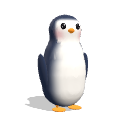
Mac Buddy hops when you type fast, naps when you stop and wanders your screen when you step away. It reminds you to drink water and stretch, out loud, in its own voice. Pick a buddy below and pat it to hear it talk.
- 21 soft 3D buddies that blink, walk and nap: try 16 of them here
- 14 buddies speak in their own voice, with lips that move as they talk
- Wellness and task reminders you can edit
- Unlock a party hat, shades, scarf, headphones and crown as you type
It lives in your menu bar
A Control Center-style panel opens on any screen. On Macs with a notch, a live visualizer pulses as you type. Macs without one get a fake notch.
Grow a garden while you work
A Pomodoro timer is built in. Every finished session plants something in your garden and adds a fish to your typing aquarium.
- Focus, short and long breaks with their own sounds
- Keys, WPM, words and day streaks
- 30-second typing games with records and points
And all the small things
The details you notice after a week of typing.
Per-app rules
Mechanical in your code editor, silent in Zoom, typewriter in Notes. KeyMood switches automatically.
Keyboard profiles
Plug in your mechanical board and KeyMood recognizes it, with its own pack and volume.
Session recorder
Record your typing sessions with sound and play them back from the Recordings page.
Reminders
Water, eyes, stretch and posture, plus your own tasks with icons and repeats.
Silent hours
Quiet at night. Mute per app, or only play through headphones, never your speakers.
Event sounds
Small chimes when a focus session ends, your mood changes or you unlock an achievement.
Global hotkeys
⌃⌥⌘ plus M to mute, P to switch mood, S for silent, F for focus, V for the notch.
Accessible
Full VoiceOver labels and reduced-motion support. Every control works with the keyboard.
Light on your Mac
Native Swift, low-latency audio, and near-zero CPU when you're not typing.
Looks right at home
KeyMood follows your system, or you can pick one of 11 themes, including Liquid Glass.
Private by design
KeyMood notices when a key is pressed, never what you type. No account, no cloud, no analytics.
Questions
How do I get the app after buying?
Download the DMG from this page and drag KeyMood to Applications. Your license key arrives by email right after checkout. Open KeyMood and paste it on the Activate step.
How many Macs can I use it on?
One license works on up to 2 of your Macs. Moving to a new Mac? Deactivate the old one in Settings → License and activate the new one.
Why does it need Input Monitoring permission?
macOS requires it for any app that reacts to key presses. KeyMood only listens for when a key goes down or up and which group it belongs to (letter, space, return and so on). It never records, stores or sends what you type.
Will it slow my Mac down?
No. KeyMood is a native Swift app with a low-latency audio engine that idles when silent. Most of the time it uses close to zero CPU.
Can I mute it during calls?
Yes. Mute with ⌃⌥⌘M, set silent hours, or add per-app rules so it stays quiet in Zoom, FaceTime or any other app.
Does it work without internet?
Yes. After activation, everything runs offline. KeyMood checks your license now and then when you're online.
Which Macs are supported?
Any Mac on macOS 13 Ventura or later, Apple Silicon or Intel. The notch visualizer works on notched MacBooks, and a fake notch is available for every other display.
What's your refund policy?
See our refund policy. If KeyMood isn't for you, get in touch.
Pay once. Keep it.
No subscription. Your license key arrives by email right after checkout.
- 31 keyboard, 8 mouse and 7 scroll sound packs
- 9 ambient soundscapes and Typing Music
- Typing effects, cursor trails and the notch visualizer
- Mac Buddy, reminders, focus garden and typing games
Notarized by Apple. Checked by Apple for malware and signed with our Developer ID, so it opens without warnings.
Secure checkout by Dodo Payments. Taxes calculated at checkout.
Requires macOS 13 Ventura or later. Apple Silicon and Intel.